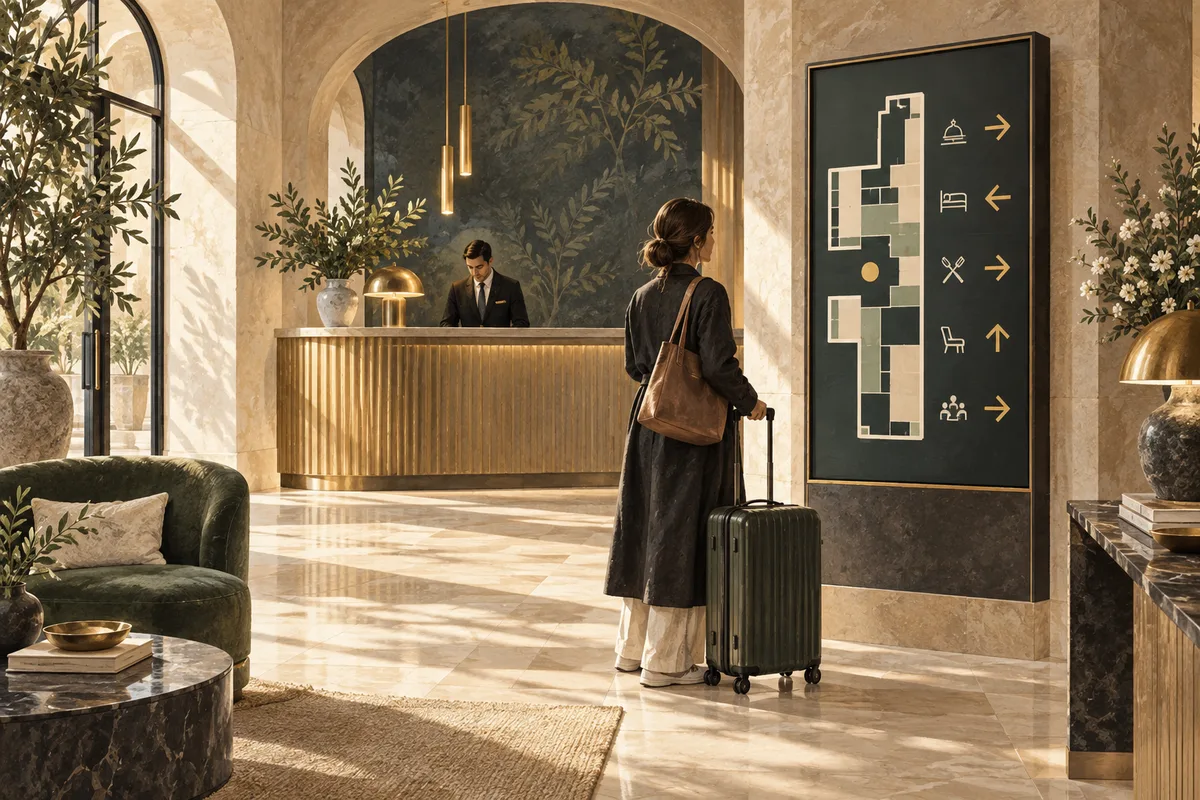
Hotel digital signage should help guests orient themselves, find current information and discover relevant services without adding confusion. Give each display a clear role, keep directions accurate, protect private information and coordinate updates with the teams who know the facts. A calm, useful screen is usually more welcoming than a busy promotional wall.
Guests arrive with different needs: one wants the lift, another needs the meeting room, and a third simply wants to know when breakfast ends. The best hospitality displays anticipate those moments. This guide explains how to plan content for reception, corridors, event spaces and lounges while keeping the information manageable for the people running the hotel.
Begin with the arrival experience
Walk from the entrance to reception as if you have never visited before. Notice where the route is obvious and where it is not. Consider luggage, queues, lighting and the height from which different guests view a display. A screen behind a long queue may be visible to staff but useless to somebody entering the building.
List the questions guests most often ask during arrival. Directions, breakfast times, Wi-Fi assistance and facilities are common possibilities, but the hotel's own observations should decide the priorities. Ask reception staff which information would genuinely reduce confusion rather than assuming that every available service deserves equal space.
Choose one primary role for the first display. A reception screen might provide a welcome and a short set of practical details. A corridor screen might focus on directions. If everything is combined into one long loop, the guest looking for a room may have to wait through a spa promotion before finding the answer.
Keep wayfinding clear and consistent
Use the same room and facility names across screens, printed signs and staff instructions. A meeting space called “Garden Room” in one place and “Conference Suite Two” elsewhere creates unnecessary uncertainty. Agree the naming system before designing the layouts.
Check arrows from the viewer's actual position. A direction that makes sense on a floor plan may be misleading when displayed on a different wall. Test the route with someone unfamiliar with the building and observe where they hesitate. Keep directional content stable long enough to read and avoid hiding essential guidance inside a promotional rotation.
Use simple, recognisable symbols alongside clear wording where helpful. Do not rely solely on colour or an unfamiliar icon. Keep a suitable non-digital way to provide essential directions when a display is unavailable. Marketing signage should complement the hotel's established safety and accessibility arrangements, not replace systems that serve a different purpose.
Organise information by guest need
Group practical information into small, coherent sections. Breakfast details belong together; transport information belongs together; a facility promotion should have a clear next step. Avoid scattering related facts across several slides that a guest must mentally assemble.
Prioritise accuracy over volume. A short, current message about where breakfast is served can be more useful than a long list of amenities with outdated opening hours. Keep a source and owner for each recurring information item so staff know who can verify it.
Consider language needs without overcrowding the display. Where multiple languages are appropriate, design clear versions or layouts that remain readable. Have translations checked by someone competent in the language and context. Literal translation can turn simple directions into a small puzzle, which is rarely what a tired traveller wants after a late flight.
Coordinate event screens with the event team
Event information changes frequently. Establish a process for confirming the event title, room, time and approved public wording. Do not copy an internal booking record directly onto a public display without checking what is suitable to show.
Keep changes traceable. If a meeting moves rooms, identify who updates the display and who verifies the physical result. Check nearby directional screens as well as the screen outside the room. Updating one label while leaving a conflicting arrow elsewhere can be more confusing than having no digital update at all.
Schedule event content to appear for the appropriate window and disappear afterwards. Provide a neutral fallback between bookings. Test how recurring and one-off schedules interact so yesterday's conference does not receive an accidental encore. The scheduling guide includes a practical campaign record and boundary tests.
Protect privacy in public content
Only publish information intended for public viewing. Avoid displaying guest lists, room allocations, booking references, personal messages or internal dashboards. Even a screen in a semi-private lounge may be photographed or seen by visitors who are not the intended audience.
Use an approval step for personalised welcome messages or event details. Confirm what the organiser or guest has agreed may be shown, and keep the message limited to that purpose. A friendly greeting should not accidentally reveal more information than necessary.
When using live web content, inspect exactly what the player can display and how access works. Do not leave an ordinary account session open on a public screen as an improvised solution. Follow the hotel's security and privacy processes, and keep credentials out of content files and operational checklists. The safest content workflow is also easier for staff to understand and maintain.
Match the visual style to the space
A lobby, breakfast room and event corridor may need different pacing. Calm imagery and restrained transitions often suit an arrival space. A dining area may benefit from clear service information. A directional display should focus on legibility rather than visual effects.
Use strong contrast, readable type and enough space around important details. Test from ordinary viewing positions and at different lighting levels. A screen that looks subtle and elegant in a design review may become unreadable in afternoon glare. Real-world clarity should guide the final choices.
Assume content needs to work without sound. Avoid repetitive audio in shared spaces unless there is a specific, appropriate use case. Give guests and staff a comfortable environment, particularly where people remain near the display for long periods. The hotel already has enough moving parts without the lobby screen trying to become the entertainment director.
Promote services without hiding useful information
Relevant promotions can help guests discover facilities, but they should respect the display's main role. A spa offer may suit a lounge screen; it should not obscure directions to a meeting room. Separate practical information and promotional material clearly.
Use a realistic next step. Tell guests where to ask, how to book through an approved channel or where the facility is located. Verify the destination of any QR code and test the page on a phone. Keep availability and timing accurate so staff are not left explaining a promise the screen cannot honour.
Coordinate with the team delivering the service. They should approve descriptions, opening times and any limited offers. Remove promotions when circumstances change. A content owner with a short review routine is more valuable than a large library of beautiful but forgotten slides.
Give staff a manageable operating routine
Assign ownership by content type. Reception may verify general guest information, the events team may approve room notices, and the relevant department may approve service promotions. Identify one person or role responsible for publishing and checking the combined result.
- Opening check: correct content, readable display and no expired events.
- Change check: approved wording, target screens and timing.
- Playback check: a complete loop on the actual display.
- Exception process: who handles a closure, room move or fault.
- Backup: how guests receive essential information during an outage.
Keep screen names tied to physical locations. “Lobby north entrance” is more useful than “Screen 4” when someone reports a problem. Record equipment details and support contacts in a secure operational register, separate from public content and without exposing passwords.
Pilot, observe and refine
Start with a location where the benefit can be observed. Ask reception staff whether repeated questions change, whether guests find the intended destination and whether the content creates any new confusion. Watch real behaviour rather than relying only on approval from the design team.
Test one improvement at a time. You might enlarge a room name, simplify breakfast information or move a screen to a clearer sightline. Compare similar periods and note other influences such as a large event or a different arrival pattern. Avoid claiming that a screen alone caused a change in guest satisfaction.
Before extending to more areas, confirm equipment reliability, content ownership and the backup process. The setup guide covers first-screen tests, while the multi-location guide helps with consistent operations across several properties.
Frequently asked questions
What should a hotel reception screen show first?
Start with the information guests most need at arrival, based on staff observations. A welcome, clear directions and current service details may be useful. Keep the first version concise and verify that guests can understand it from where they naturally stand.
Can event information update automatically?
Only where a supported integration has been configured and checked. Confirm which fields are published, how changes propagate and what happens if the connection fails. Even with automation, public wording and privacy need an approval process.
Should guest names appear on welcome screens?
Only through the hotel's approved process and with appropriate permission for the specific public message. Avoid exposing personal details unnecessarily. A general welcome often serves the purpose without introducing privacy concerns or requiring frequent personalised updates.
How can several departments share the screens?
Define ownership, approval and priority rules before giving access. Each department should know what it may change and which screens it affects. Use a shared calendar and a designated publishing process so independently sensible updates do not create a confusing combined loop.
What if the display is unavailable?
Use the hotel's planned alternative for essential information, such as established signs and staff assistance. Report the fault with the screen's location and symptom. Keep the guest experience working while the technical issue is investigated rather than making the display the only route to an answer.